Organize PDF
Review and modify PDF pages: sort, add, and delete. Drag and drop page thumbnails to reorder within the PDF organizer for streamlined analysis.
Select PDF files

or drop PDF here
Review all pages across uploaded PDFs, organize them into a single document, and do so free of charge. Page sorting is straightforward with our PDF organizer—no watermarks or limits.
-
Easily organize pages in PDF files.
-
No installation required; this is a free-to-use solution for PDF review and analysis.
-
Drag and drop PDF pages to support your PDF Review and Analysis workflow with ease!
Best Online Tool for PDF Page Organization and Review
This PDF page organizer supports a review-focused workflow by enabling you to inspect page order, identify inconsistencies, and validate the document’s structure. Upload your file, analyze page positions, and use drag-and-drop to rearrange and adjust as needed. You’ll receive a review-driven, organized PDF that supports informed decisions before further processing.
Flexible Organize PDF
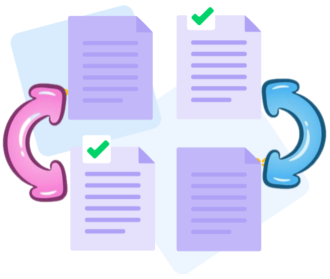
Each uploaded file is color-coded to facilitate review tracking of page positions and structural cues. The coloring supports clear comparison and consistency checks, delivering a high-quality output that preserves the original document’s integrity for informed decisions.
How Does Organize PDF Work?
No installation is required. Upload documents to begin a review-driven analysis: drag, drop, add, or remove pages to scrutinize order and structure before finalizing.

Organize multiple files at once
Upload multiple PDFs for comprehensive review across files. Analyze and reorder pages to ensure consistency across documents, sorting by page sequence or assembling sections from different sources, guided by analytical decisions.

Online tool for PDF Review and Analysis
The PDF Review and Analysis workflow lets you upload and arrange multiple PDFs in a deliberate order, combining them into a single, well-structured document that supports informed decisions.
Organize your PDFs securely online
During PDF Review and Analysis, your uploads are protected by TLS encryption and are automatically deleted after processing. The data remains private and secure throughout the review workflow.
Supports cross-platform review: Windows, Mac, Linux, and Mobile
PDFra runs directly in your browser on any device—Mac, Windows, Linux, or mobile. It enables browser-based PDF review and analysis, and supports rearranging and inspecting pages anytime, anywhere.
Organize PDFs easily
Easily drag and drop pages to reorder them. Add or delete pages at any time, or move entire PDF files up or down to adjust their sequence.
Organize PDFs Reliably
PDF Review and Analysis: No need for expensive software. PDFra offers a free online solution with robust security, including TLS encryption, to support a secure and transparent PDF review and analysis process.
Cloud - based processing
PDF Review and Analysis in the cloud: All review-related tasks run in the cloud, conserving local resources. Access the tool from anywhere with an internet connection.
Frequently Asked Questions
Yes. The Organize PDF tool is free to use online. It enables page organization without registration, watermarks, or software installation, supporting an initial, unobstructed PDF Review and Analysis of document structure before processing.
You can reorder, delete, rotate, and reorganize pages within a PDF. In a PDF Review and Analysis workflow, these actions support verification of structure, clarity, and consistency, enabling you to align the document with its intended sequence before further processing.
Yes. Files are protected using secure HTTPS encryption during upload and processing, and uploaded PDFs are automatically deleted from our servers after a short period to ensure privacy, data security, and a clear review trail within the PDF Review and Analysis workflow.

PDF Review and Analysis: Steps to Organize Pages in PDF Files Online:
Analytical workflow: A step-by-step guide to conducting PDF review and organization in our tool:
- Upload your PDFs to initiate the PDF Review and Analysis workflow.
- In the review workflow, you can reorder, add, or remove pages to align with the analysis scope.
- Reorder pages, adjust orientation as needed, and structure files in the right panel to support a coherent review.
- Click the "Organize" button to finalize the review workflow and download the analyzed PDF.
 Remove pages




This file requires password
Ignore this file

wrong password
{{ message }}