Drop files here
Compress PDF file
PDF Review and Analysis: Reduce file size without compromising content clarity, structure, or accuracy.
Select PDF files

or drop PDF here
PDF Review and Analysis tool: Minimize PDF sizes online to support efficient review workflows, preserve document structure, and streamline file handling.
-
Minimize file size while preserving content fidelity to support accurate PDF Review and Analysis.
-
Quick, simple, and effective PDF compression.
-
Supports review workflows across browsers, devices, and platforms to facilitate collaborative PDF analysis and consistency.
Top Online PDF Compression Tool
With PDF Review and Analysis, compress large PDFs quickly to support distribution, sharing, or archiving, while remaining completely free.
Flexible PDF Compression
Select from compression levels aligned with review priorities to reduce file size without compromising clarity. Expect precise, reliable results to support consistent PDF Review and Analysis iterations.
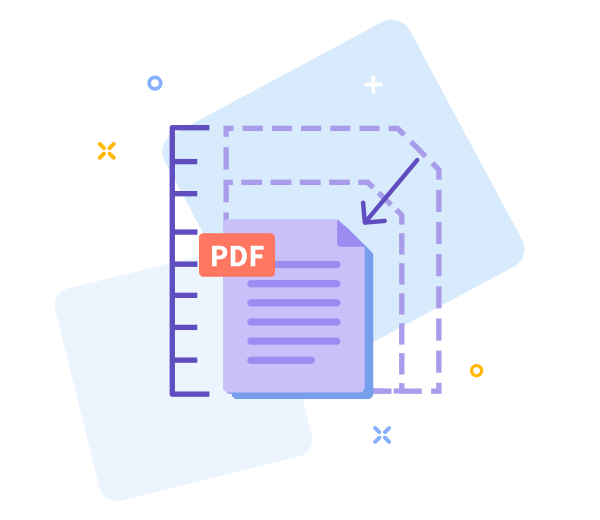
How Does PDF Compression Work?
To reduce large PDFs, we optimize images and eliminate redundant patterns while preserving readability and structure. The final file remains high-quality, with a significantly smaller footprint—supporting efficient review.

Easy Sharing Once You’re Done
For PDF Review and Analysis workflows, smaller files simplify sharing; after compression, generate a download link instantly to accelerate review collaboration.

Work Faster With Smaller PDF Files
Begin your PDF Review and Analysis workflow immediately—no installation required. Compress quickly and effortlessly to support timely review steps.
Compress Across All Devices
Accessible from any device or browser to support consistent PDF Review and Analysis across mobile, desktop, and tablet platforms.
Data Regulation Compliance
Our processing respects privacy and adheres to rigorous data protection standards to safeguard personal information throughout the PDF Review and Analysis lifecycle.
PDF Review and Analysis: refine options based on review findings.
If results do not meet criteria, return to the previous screen with a single action and recalibrate the compression parameters to support ongoing review.
High - Tech Encryption
Document security is maintained through advanced TLS encryption, ensuring data protection throughout the process.
Compress Your PDF in the Cloud
The compression tool operates in the cloud to support PDF review workflows. Upload your PDF, select a suitable compression level, and the system processes the remainder. Free to use while online to facilitate review-driven decisions.
Frequently Asked Questions
Yes. This Compress PDF tool supports online use within PDF Review and Analysis workflows. It enables size reduction without registration, watermarks, or software installation, facilitating an initial content and structure review. Some limits may apply based on file size or usage, which should be considered when planning the analysis.
The tool balances file size reduction with fidelity to the original document. Text readability and layout are preserved where feasible, while images may be optimized to enable smaller files; this supports informed decisions before processing.
Yes. The upload and processing pipeline uses secure HTTPS encryption. Uploaded PDFs are automatically deleted from our servers after a short retention period, supporting privacy and data security and aligning with review governance.

PDF Review and Analysis: Steps to Compress PDF Online for Free.
Follow these steps to execute a no-cost PDF compression within an analytical review workflow:
- Initiate the PDF Review and Analysis workflow by importing your PDF into the tool via drag-and-drop.
- Choose analysis-oriented settings that align with the review goals, preserving structure and clarity while balancing fidelity.
- Click 'Compress PDF' to trigger the processing, then monitor progress as the analysis pipeline completes.
- Export the reviewed and analyzed PDF to your device for final inspection before onward processing.
PDF Review and Analysis: Frequently Asked Questions about our compression tool.
-
Is this PDF compression tool available at no cost for review and analysis purposes?
Yes. The compression tools are provided at no cost, supporting evaluative workflows without financial barriers.
-
Is your compression tool safe?
Indeed. End-to-end encryption ensures security at every stage of the process.
 Remove pages



This file requires password
Ignore these files

wrong password
Some file(s) requires password
Damaged/Corrupted File
We cannot process corrupted or damaged files. During PDF Review and Analysis, verify file integrity by attempting to open with a PDF reader. If the file does not open, it indicates damage. Restore or obtain a clean copy before reattempting conversion.